Department requirements
Define roles, credentials, Task Books, recurring skills, and department training expectations.
Qualification and competency tracking for Fire & EMS
Manage department requirements, Task Books, Training Sheets and approvals in one connected platform.
Example department view
75
6
2
36
Current product
Training Officers organize the department from the dashboard. Members and evaluators document and review work from the app. Approved work flows back into the same progress and qualification view.
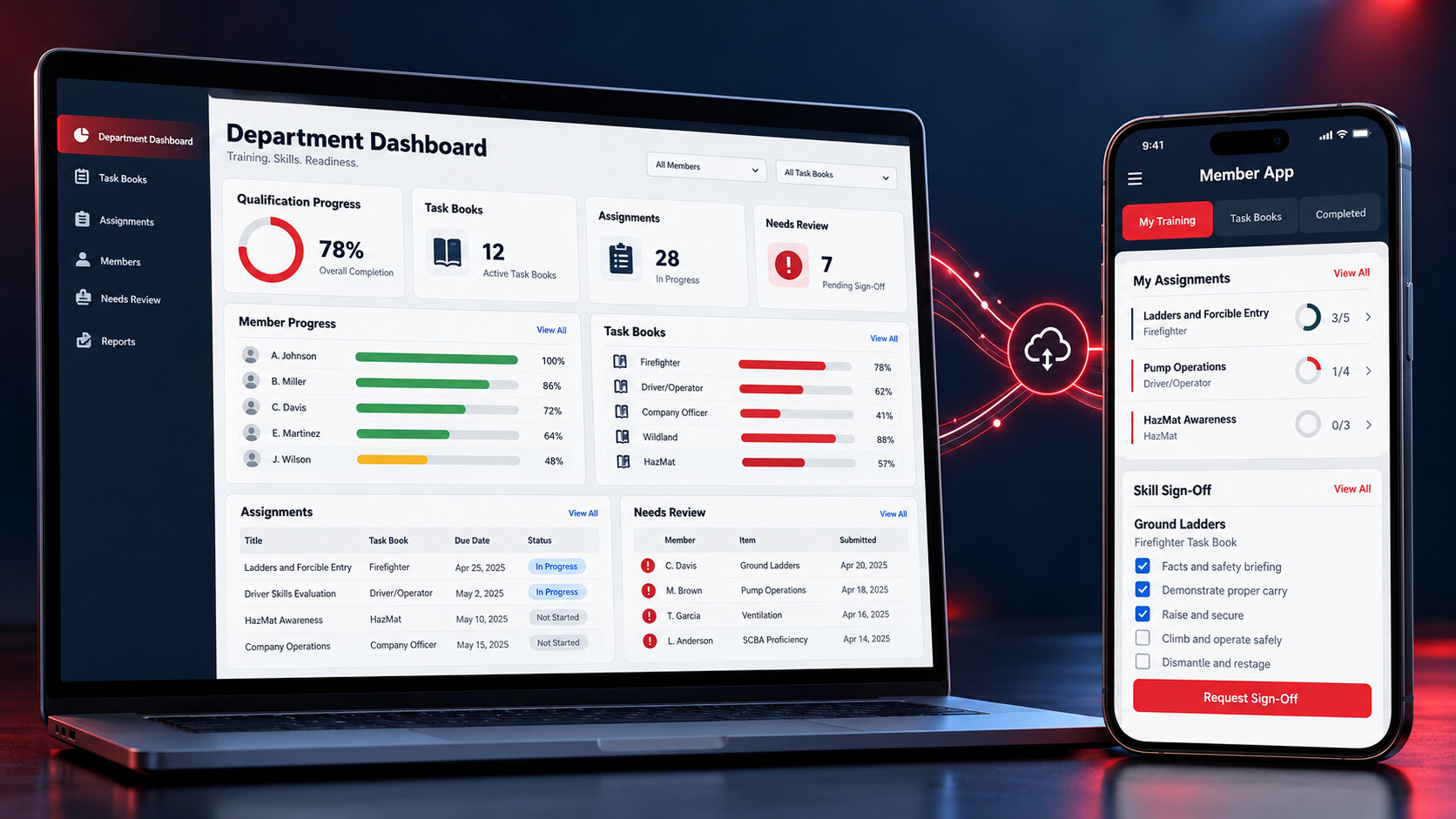
Up-to-date product views
These current product previews show the department oversight view and the field workflow members use to complete and submit work.
Department dashboard
Qualification and training overview
Members
75
Review now
6
Follow up
2
Sheets to finish
14
Needs attention
22 itemsMember progress
Approved workJordan Smith
Probationary Firefighter
Casey Jones
Driver / Operator
Morgan Garcia
First-Due Company
Review needs attention, open member progress, manage department requirements, and follow training that still needs documentation.
Member app
Apparatus rig check
Driver / Operator Task Book · Performance 3 of 5
Quick actions
Complete assigned skills, document repeated performances, join Training Sheets, and request evaluator signatures from the field.
Department defined
Define roles, credentials, Task Books, recurring skills, and department training expectations.
Members and instructors record classes, skills, evidence, and training hours from the app.
Authorized evaluators review submitted work and attach each decision to the member record.
Training Officers see incomplete work, follow-up needs, expiring credentials, and approved qualifications.
Connected workflow
Build department requirements and reusable Training Sheet templates in the dashboard.
Members perform assigned work and document training from the app.
Evaluators examine evidence and sign each required performance.
The dashboard shows approved progress and the work that still needs attention.
Training Sheets
Start from department templates, add rosters by QR or department membership, record checklists and grading, then finish objectives, hours, narrative, and RMS codes.
Task Books and Assignments
Require a performance more than once, keep each completion on its own date, and require an evaluator signature for every performance before the requirement is complete.